
Reduce Manual Work With Smart Automation
Every day, employees in modern businesses handle countless tasks—responding to inquiries, updating records, sending follow-ups, processing requests, and moving information between systems. While many of these actions are essential, not all of them need to be performed manually.
Repetitive manual work eats away at productivity. A few minutes spent copying data or sending updates may seem minor, but when repeated dozens or hundreds of times, these tasks can become a major drain on productivity.
Smart automation is the solution.
At AppDevelopers.mobile, we partner with businesses to automate repetitive processes, integrate systems, and streamline workflows. Our goal is to free your team to focus on customers, strategy, and growth—not mundane tasks.
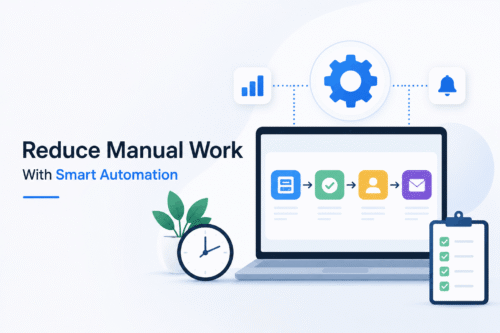
What Is Smart Automation?
Smart automation uses technology to perform routine actions automatically based on specific events, conditions, or workflows.
For example, when a customer submits a form, automation can:
- Receive and validate the information
- Update a customer record
- Assign the inquiry to the right person
- Send a confirmation
- Schedule a follow-up
Instead of handling each step manually, the system manages the process seamlessly. If a task can be performed accurately and reliably by software, your employees shouldn’t have to do it by hand.
Why Manual Work Holds Businesses Back
Manual processes often emerge as businesses grow and add new tools—CRMs, project management platforms, payment systems, and communication applications. Over time, employees can end up spending too much time:
- Copying leads between systems
- Updating customer data in multiple places
- Sending repetitive confirmation emails
- Assigning tasks and following up on them
- Preparing recurring reports
These processes may work for small teams, but as your business scales, they can become increasingly difficult to manage.
Identify High-Impact Automation Opportunities
Not everything should be automated. Start by identifying work that is:
- Highly repetitive or rule-based
- Time-consuming or high-volume
- Dependent on information moving between systems
Ask yourself:
- Which tasks are repeated most often?
- Where are employees copying or updating data?
- Where do delays or mistakes occur?
- Which follow-ups are routine?
These insights can reveal where automation will make the biggest difference.
Eliminate Repetitive Data Entry
Manual data entry wastes time and increases the risk of errors. Automation can:
- Move information from website forms to CRMs automatically
- Sync data between mobile apps, databases, and dashboards
- Trigger team assignments and notifications
Once systems are connected, data can flow between them with minimal manual intervention.
Automate Customer Communications
Routine messages—such as confirmation emails, appointment reminders, status updates, and payment notifications—can be triggered automatically based on specific events.
This helps ensure a consistent and timely customer experience while allowing your team to focus on more meaningful interactions.
Streamline Task Assignment
Assigning work manually can be slow and inefficient. Automation can route tasks based on:
- Department or location
- Request type or priority
- Employee availability
This helps requests reach the right people more quickly and can reduce unnecessary delays.
Accelerate Approval Processes
Manual approval workflows often stall in inboxes. Automated approval processes can:
- Route requests to the correct approver
- Track status and send reminders
- Move approved requests to the next stage
- Record decisions for greater transparency
Instead of repeatedly chasing approvals, everyone can have clear visibility into the process.
Connect Disconnected Systems
Most businesses use several software platforms that don’t always “talk” to each other. Smart automation can connect them through:
- APIs and backend integrations
- Custom software and workflow logic
For example, an order can trigger payment processing, update inventory, initiate the delivery process, and notify the customer—all automatically.
Empower Field Teams With Mobile Automation
Field employees and mobile workers can benefit from smart workflows as well. Mobile apps can enable:
- Instant task assignments
- Access to customer and location details
- Real-time status updates and reporting
- Digital signatures and file uploads
Updates can sync directly with central office systems, reducing the need for manual check-ins and repeated status updates.
Reduce Errors and Improve Accuracy
Automation can help minimize human errors by:
- Validating and formatting data
- Preventing incomplete submissions
- Maintaining more consistent records
A well-designed workflow can significantly reduce routine mistakes caused by repetitive manual processes.
Gain Visibility Into Business Processes
Manual processes can make it difficult to understand what is happening across your organization. Automation can provide real-time dashboards showing:
- Pending and completed tasks
- Requests waiting for approval
- Workflow bottlenecks
- Team workloads
This visibility can support better decision-making and continuous process improvement.
Enhance Automation With AI
Combining automation with AI can unlock additional possibilities, such as:
- Categorizing and prioritizing requests
- Summarizing information for faster review
- Generating suggested responses or next steps
AI should always add practical value to a workflow—not unnecessary complexity.
Start With the Right Workflow
Effective automation starts with mapping the current process:
- What triggers it?
- Who is involved?
- Where are the bottlenecks?
- What can be automated?
From there, the right combination of technologies can be developed, including:
- Mobile apps and web dashboards
- Backend systems and APIs
- Integrations, notifications, and AI features
Automation Should Make Work Simpler
Technology should make work easier—not add unnecessary steps. A user-friendly system should provide:
- Clear and logical workflows
- Simple actions and relevant notifications
- Easy access to information
- Mobile-friendly interfaces
The goal is always to create a better process, not simply to add more automation.
Scale Efficiently as You Grow
As your business expands, so does the volume of routine work. With smart automation, businesses can handle more customers, orders, and tasks without proportionally increasing manual effort or administrative overhead.
Flexible and scalable workflows can provide a stronger foundation for long-term growth.
How AppDevelopers.mobile Can Help?
We help businesses transform manual processes into efficient digital workflows through:
- Custom mobile app development (Android, iOS, Flutter, React Native)
- Backend systems and API integration
- Web applications and dashboards
- AI and automation features
- UI/UX design focused on usability
- App maintenance and modernization
- Flexible developer engagement models
Focus on What Matters Most
Manual work will always be important for areas such as creative problem-solving and customer relationships. However, your team shouldn’t have to spend valuable hours on repetitive tasks that technology can handle more efficiently.
Smart automation can free your team to focus on the work that drives your business forward.
With AppDevelopers.mobile, you can reduce manual workloads, connect systems, improve accuracy, and build smarter workflows for a more productive future.
Automate what can be automated. Empower your team to make a bigger impact.